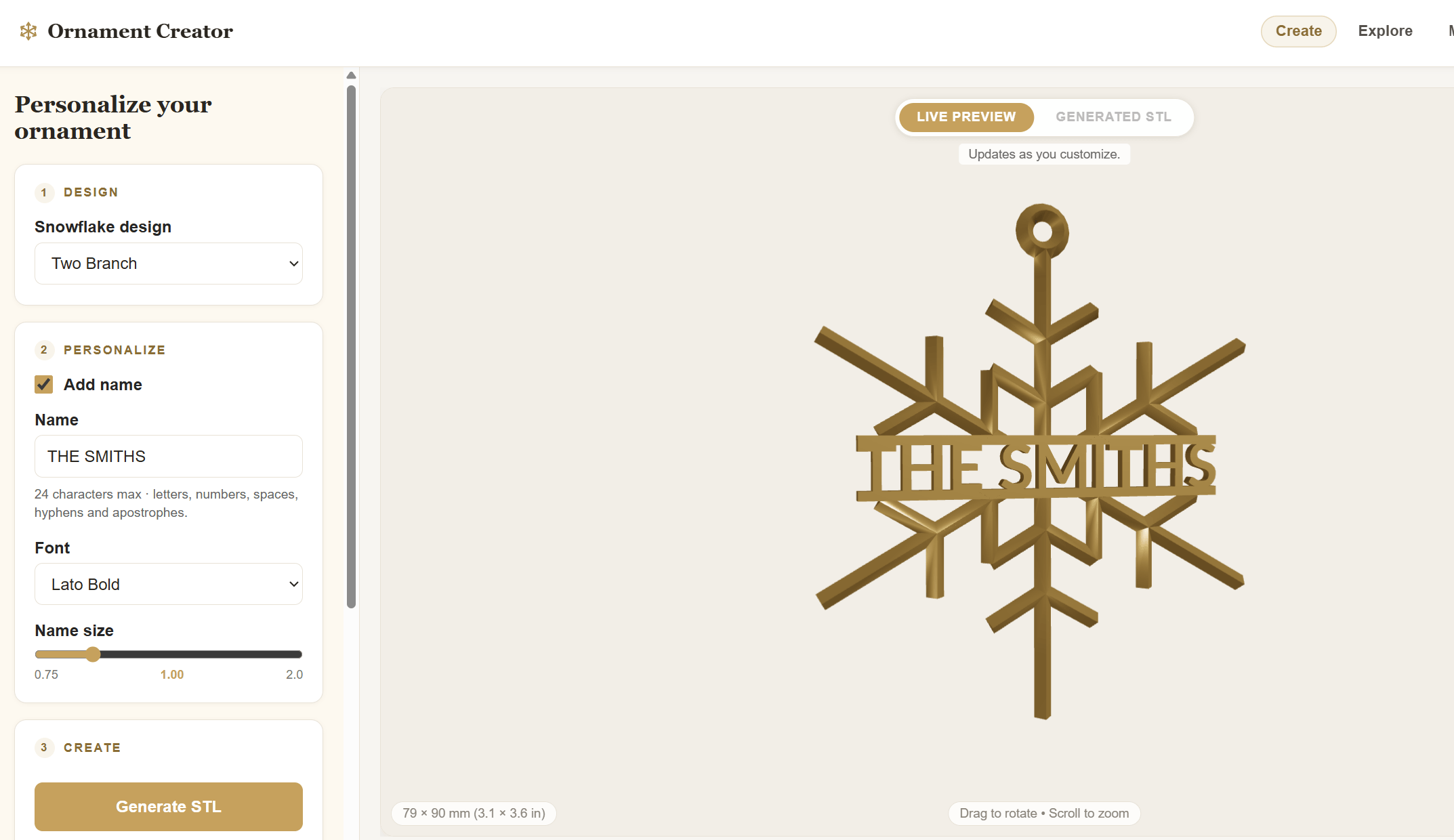
This week, I finally released the MVP of Ornament Creator!
It’s been about two months since I started experimenting with the idea of creating customizable 3D-printed ornaments in Houdini. What began as a simple procedural snowflake has grown into a web platform where people can personalize ornaments, preview their designs, and either download an STL file or order a printed ornament.
It’s been exciting to see the idea grow, collaborate with my friend and former co-worker Garman Herigstad, who’s contributing design work, and explore where this project might lead.
Bringing Houdini to the Web
My original idea was to give people some of the same customization capabilities that I have when working with a Houdini Digital Asset (HDA), without requiring them to know anything about Houdini.
I built a web interface using React and Three.js that exposes the ornament’s customization parameters. Users can enter a name, choose a font and snowflake design, and see the results in an interactive 3D preview.
When they’re ready to generate their ornament, those parameters are sent to a Houdini process running on an AWS server, which creates the watertight geometry needed for 3D printing.
Getting the preview and the generated geometry to match has been an interesting challenge, particularly with fonts and text placement. But it’s also been satisfying to see the entire process working together.
Does Running Houdini in the Cloud Get Expensive?
One question I’ve had throughout this project is: Does this get expensive?
And the answer is—it can be!
I originally set up a Windows server on AWS because I wanted to mimic my local development environment. It was the easiest way to get started, but I discovered that the Windows licensing costs made it significantly more expensive than running a comparable Linux instance.
So I rebuilt the backend on Ubuntu Linux. That took some work, but it reduced my hosting costs and gave me a better foundation for running the application.
I’ve also applied for AWS Activate, Amazon Web Services’ startup program, which offers eligible startups credits and other resources.
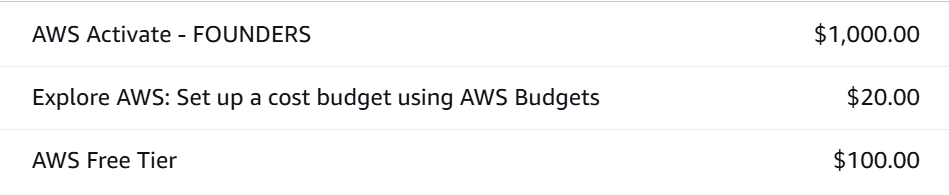
We were recently approved for $1,000 in AWS Activate Founders credits! This gives us more flexibility to experiment with different server configurations and continue developing Ornament Creator without worrying quite so much about hosting costs.t.
From STL to a Printed Ornament
Another exciting part of the project has been connecting Ornament Creator to a 3D printing service.
I’m working with X3D Studios in Austin, Texas, to handle printing and shipping. I’ve integrated their API into the platform so that when a customer purchases a printed ornament, the generated STL can be sent directly to X3D for production and fulfillment.
Customers who have their own 3D printers can simply purchase and download the STL instead.
This was an important step for me because I wanted to create something that could operate without requiring me to manufacture and ship every product myself.
What’s Next?
For now, I’m focusing on improving Ornament Creator, adding more designs, and finding our first customers.
But I’m also thinking beyond Christmas ornaments.
The underlying idea is much broader: using procedural modeling to let people customize 3D-printable products through a simple web interface.
That could include other personalized decorative items, but also practical objects such as brackets, hinges, or compartments that need slightly different dimensions or configurations.
After Christmas, I’d like to explore some of those possibilities. We may eventually expand the platform under a different name, but for now, I’m excited to see where Ornament Creator goes. It’s been a busy two months, and I’m excited to where this leads us!


